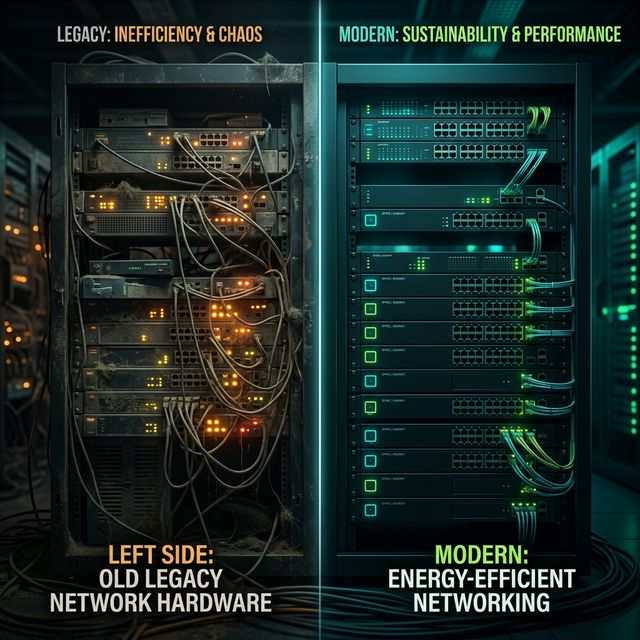
Identify and Replace Energy-Inefficient Hardware
Identifica y Reemplaza Hardware Energéticamente Ineficiente
You don’t need to replace everything, just the right things.
No necesitas reemplazar todo, solo las cosas correctas.
The idea
Switches, routers, and firewalls may look similar on paper, but under the hood, their energy profiles vary significantly. Some older or lower-efficiency models can consume up to twice as much power as newer equivalents while delivering the same or even less performance.
2×
Legacy devices can consume double the power of modern equivalents
While delivering equal or less performance
Why it matters
You don’t need to replace everything, just the right things. Targeting the worst energy offenders gives you disproportionate savings.
- ⚡ Older switches lack power-saving features (EEE, adaptive fan control)
- 🌡️ Higher heat output means more cooling cost — it’s a double penalty
- 📉 Efficiency degrades as components age — capacitors, fans, power supplies
- 🔧 Maintenance burden — older hardware needs more patches, more attention
How to apply it
- ✅ Catalogue your hardware — model, age, power rating, and actual consumption
- ✅ Rank by efficiency ratio — watts per Gbps throughput
- ✅ Identify the top 10 worst offenders — these give you the biggest ROI
- ✅ Plan phased replacements — align with budget cycles and vendor refresh programs
💡 Example: A retail chain found that replacing just 12 legacy Catalyst 2960 switches with newer 9200L models reduced energy consumption by 35% per device, with better throughput and PoE efficiency as a bonus.
The ZeroNet approach
ZeroNet cross-references hardware models with their energy behavior to surface the most inefficient devices in your network. You get a ranked replacement priority list based on actual energy waste, not catalog specs.
Want to see this in action?
ZeroNet detects these opportunities automatically, no sensors, no agents. Learn more.
La idea
Switches, routers y firewalls pueden parecer similares sobre el papel, pero bajo el capó, sus perfiles energéticos varían significativamente. Algunos modelos más antiguos o menos eficientes pueden consumir hasta el doble de energía que sus equivalentes modernos ofreciendo el mismo o incluso menor rendimiento.
2×
Los dispositivos legacy pueden consumir el doble de energía que los modernos
Ofreciendo igual o menor rendimiento
Por qué importa
No necesitas reemplazar todo, solo las cosas correctas. Atacar los peores infractores energéticos te da ahorros desproporcionados.
- ⚡ Switches antiguos carecen de funciones de ahorro energético (EEE, control adaptativo de ventiladores)
- 🌡️ Mayor generación de calor implica más coste de refrigeración, es una doble penalización
- 📉 La eficiencia se degrada con la edad — condensadores, ventiladores, fuentes de alimentación
- 🔧 Carga de mantenimiento — el hardware antiguo necesita más parches, más atención
Cómo aplicarlo
- ✅ Cataloga tu hardware — modelo, antigüedad, potencia nominal y consumo real
- ✅ Ordena por ratio de eficiencia — vatios por Gbps de throughput
- ✅ Identifica los 10 peores — estos te dan el mayor retorno
- ✅ Planifica reemplazos por fases — alinéalos con ciclos presupuestarios y programas de renovación del fabricante
💡 Ejemplo: Una cadena de retail descubrió que reemplazar solo 12 switches legacy Catalyst 2960 por modelos 9200L más nuevos redujo el consumo energético un 35% por dispositivo, con mejor throughput y eficiencia PoE como bonus.
El enfoque ZeroNet
ZeroNet cruza modelos de hardware con su comportamiento energético real para sacar a la luz los dispositivos más ineficientes de tu red. Obtienes una lista de prioridad de reemplazo basada en desperdicio energético real, no en especificaciones de catálogo.
¿Quieres verlo en acción?
ZeroNet detecta estas oportunidades automáticamente, sin sensores, sin agentes. Saber más.